convertFrog
Convert in a glance.
Pick two currencies, scroll, and read every amount converted side by side. Swipe to scale by ten, tap for the steps in between. No typing, no ads, no accounts.
 Coming soonApp StoreComing soonGoogle Play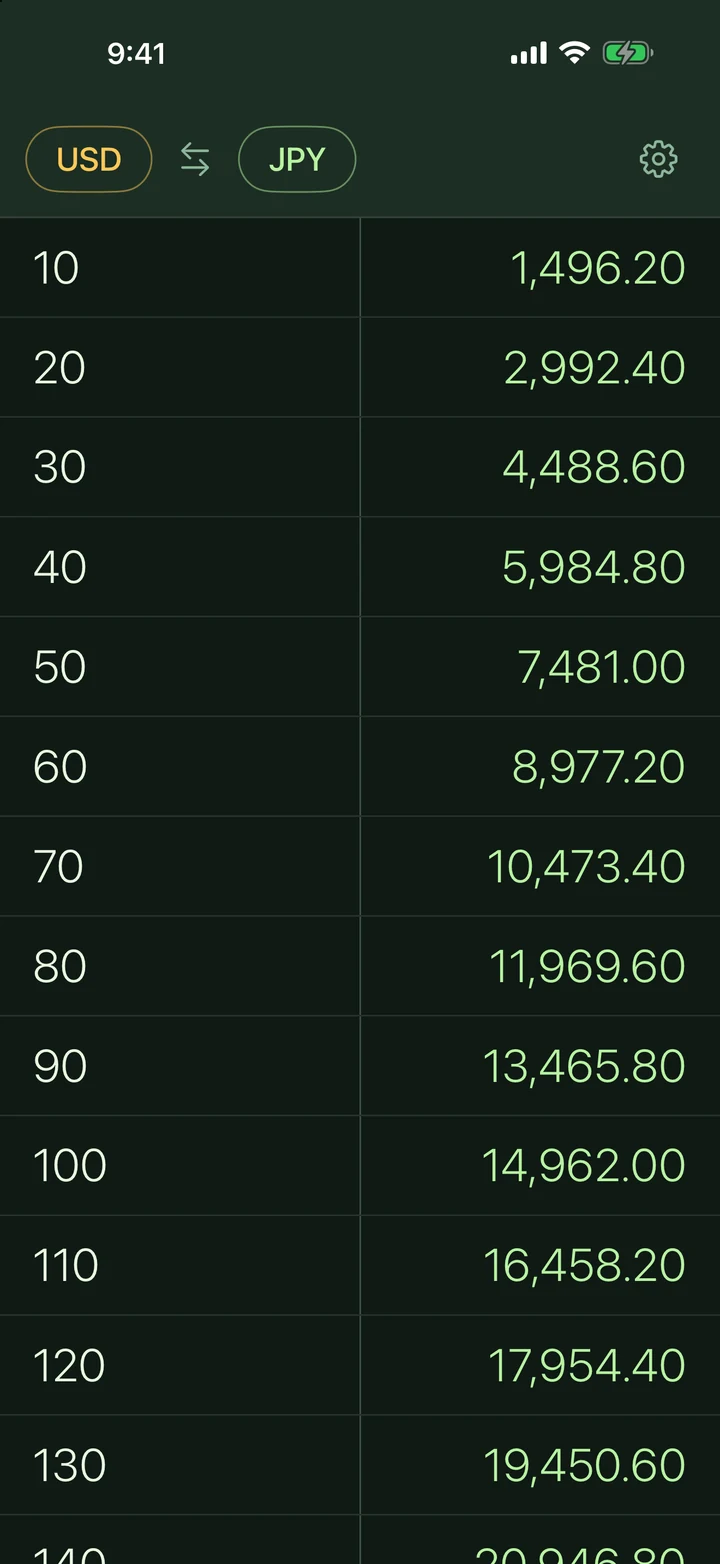
WHAT IS convertFrog
convertFrog is a currency converter built around one idea: you should see every amount converted at once, without typing. Pick a pair of currencies and scroll. The left column shows amounts in the currency you convert from, the right column shows the converted amounts. Prices at a market stall, a restaurant bill, a hotel booking: find the number on the left, read the answer on the right.
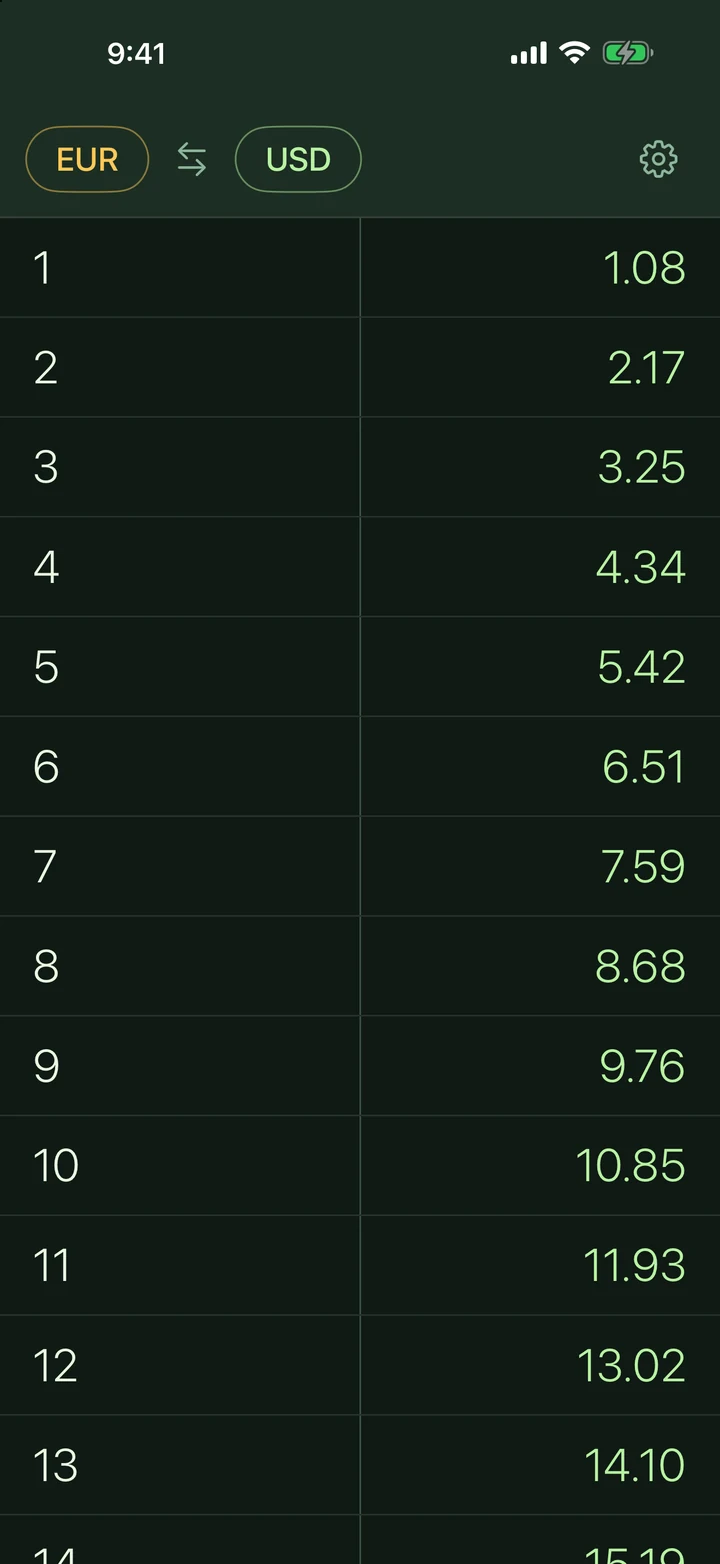
Swipe left and the step between rows jumps by ten (1, 2, 3 becomes 10, 20, 30, then 100, 200, 300). Swipe right and it shrinks (0.1, 0.2, 0.3). Tap any row to reveal the values in between.
A LOOK AT IT
Convert in a glanceTwo columns. Every amount, instantly.
Swipe to scale by 10From 1, 2, 3 to 10, 20, 30 with one swipe.
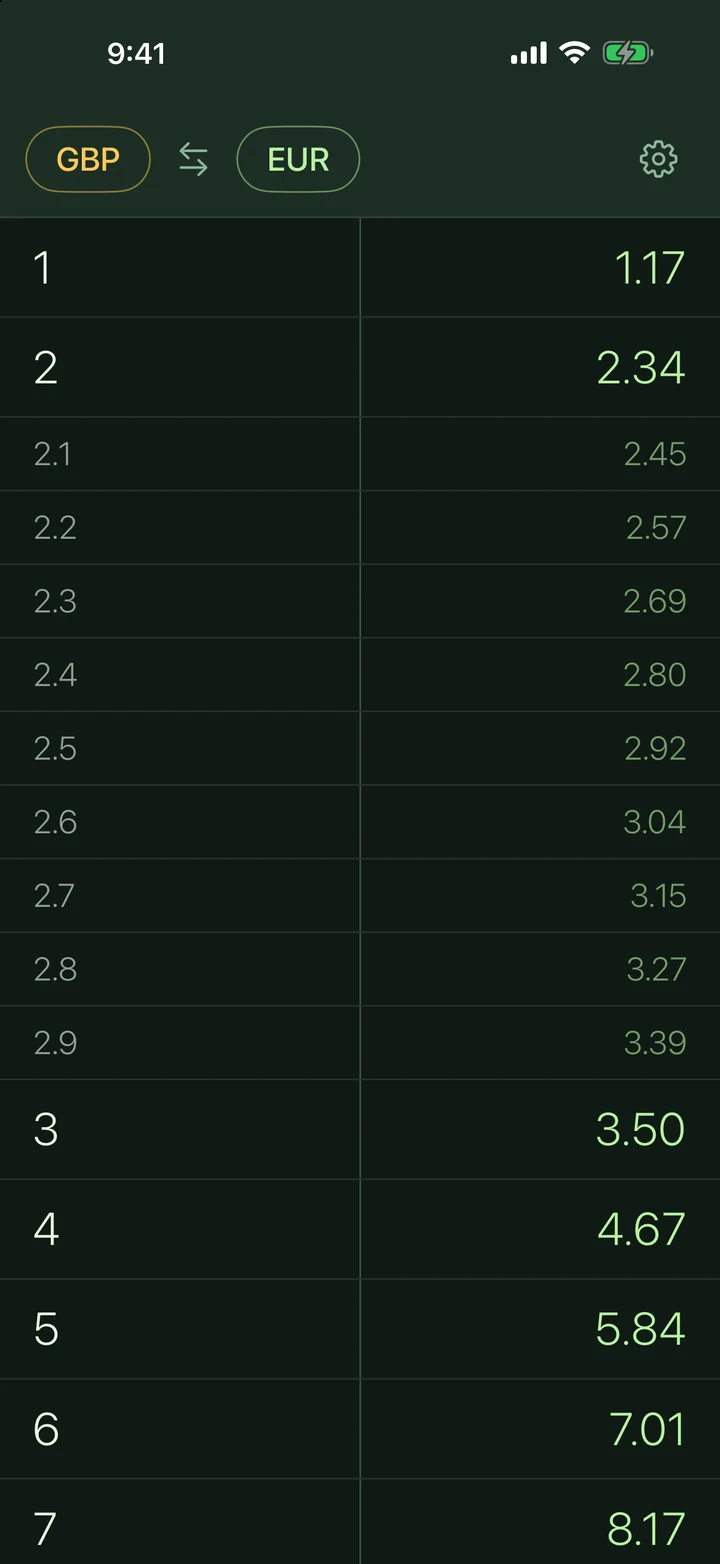
Tap to see in-betweenEvery step in between, one tap away.
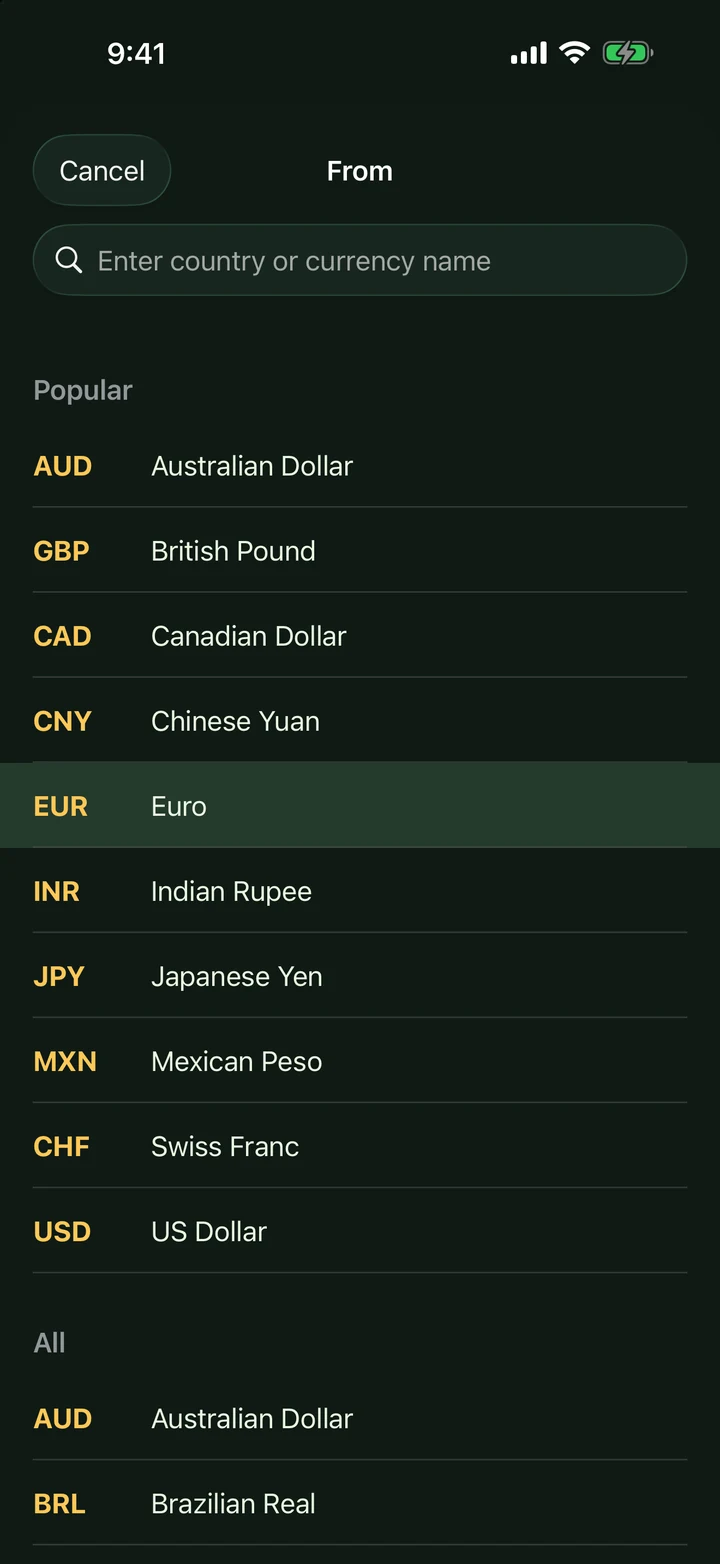
Search any currencySearch by country or currency name.
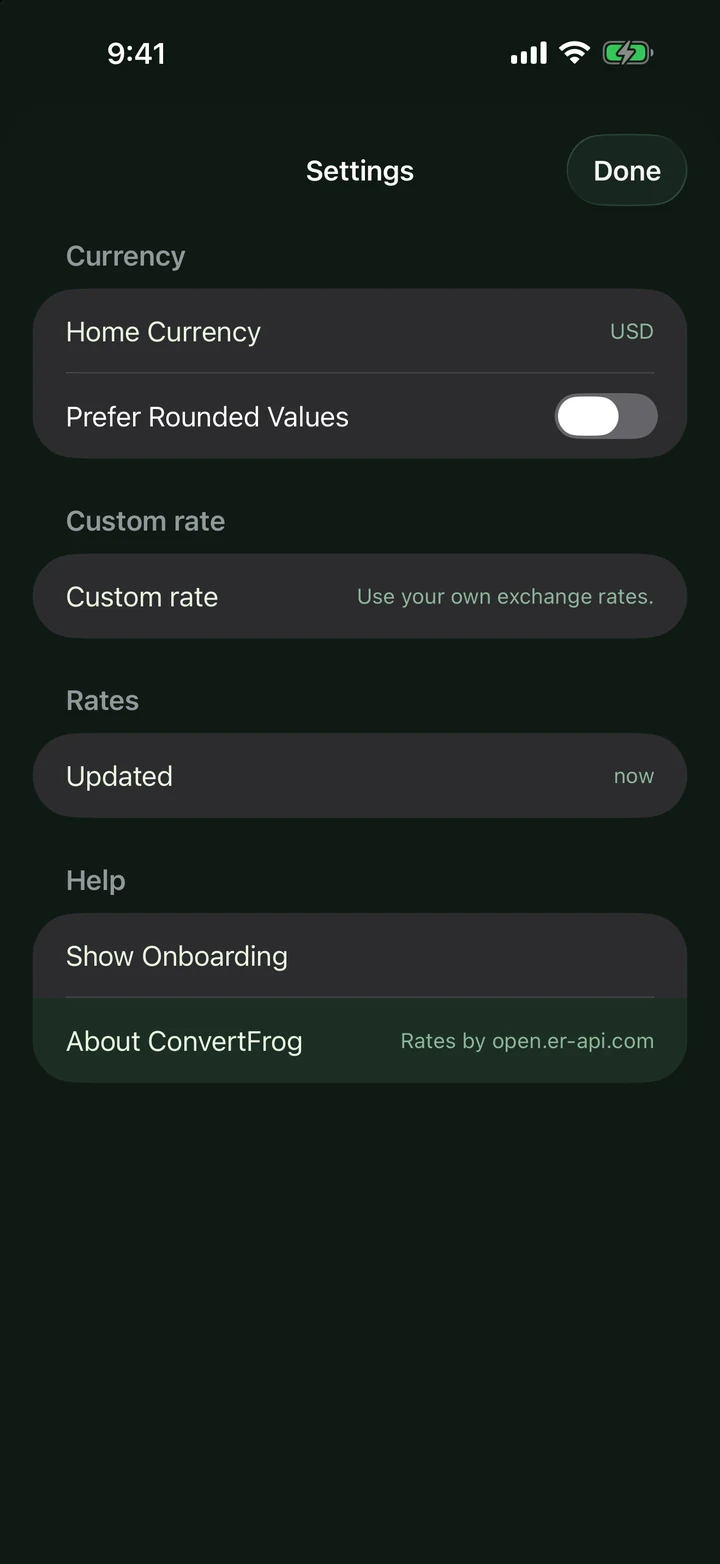
Your rates, your rulesHome currency, rounding and custom rates.
HOW IT WORKS
Swipe left
Multiply the step between rows by ten: 1, 2, 3 becomes 10, 20, 30, up to ten million.
Swipe right
Divide the step by ten for small amounts: 0.1, 0.2, 0.3.
Tap a row
Reveal the nine values in between. Tap again to fold them away.
Swap in a flick
Tap the swap button, or swipe across the header, to flip the two currencies.
MADE FOR REAL LIFE
Live rates, offline ready. Rates refresh automatically and are cached, so the last rates keep working with no signal.
Your own rates. Set a custom rate for any pair, for example what your bank or exchange bureau really gives you, and go back to live any time.
Rounded values. Turn on rounding for quick mental maths: 1,234.5 reads as 1,200.
Private by design. No account, no tracking, no analytics and no ads. Settings never leave your phone.
QUESTIONS
Where do the exchange rates come from?
Does it work offline?
Which platforms?
Is it free? Are there ads?
What data do you collect?
I found a bug or have an idea.
Exchange rates are indicative, may be delayed and are not financial advice. Rates by open.er-api.com.
NO ADS. WELL, TASTEFUL ONES.
convertFrog has no ads and no tracking. If your brand fits travellers, money or everyday life abroad, we are happy to talk about a tasteful, hand-picked sponsorship that respects the people using the app.
Themed header
The app's header and accent colours dressed for a destination, season or partner.
Travel-pair spotlight
A featured currency pair for a trip, route or campaign, with a clear "Sponsored by" line.
Credit line
A quiet "Made possible by" credit in the About section of Settings.

Also from Kepale Enterprise: Marek, a one-screen arcade climb, pint in hand.